 Scannera
Your paperwork stays yours.
Scannera is a private, offline document scanner and PDF maker for Android. Scan to PDF, pull out text with OCR, sign, watermark and share, all on your device.
Paper in. Finished PDF out.
Three steps, and every one of them runs on your phone.
Point the camera. Scannera does the rest.
It finds the page borders, straightens the angle you actually shot it at, and lifts the shadow your hand was casting. Keep going and every page lands in the same document.
Edge detection and perspective correction
Page borders are found instantly and the skew is corrected, so a photo taken at an angle comes out square. You can adjust the crop by hand whenever the automatic guess is not what you wanted.
Shadow removal and enhancement
Uneven lighting and hand shadows are removed. Five filters sharpen contrast and readability: Original, Grayscale, B&W, Magic Color and Auto Enhance.
Multi-page batch scanning
Capture page after page in one session, review them together at the end, and export the lot as a single PDF. Pages per scan are capped on the free tier and unlimited on Pro.
Dedicated capture modes
Modes for documents, agreements, ID cards, driving licences, passports and business cards, so the crop and enhancement suit what you are actually scanning.
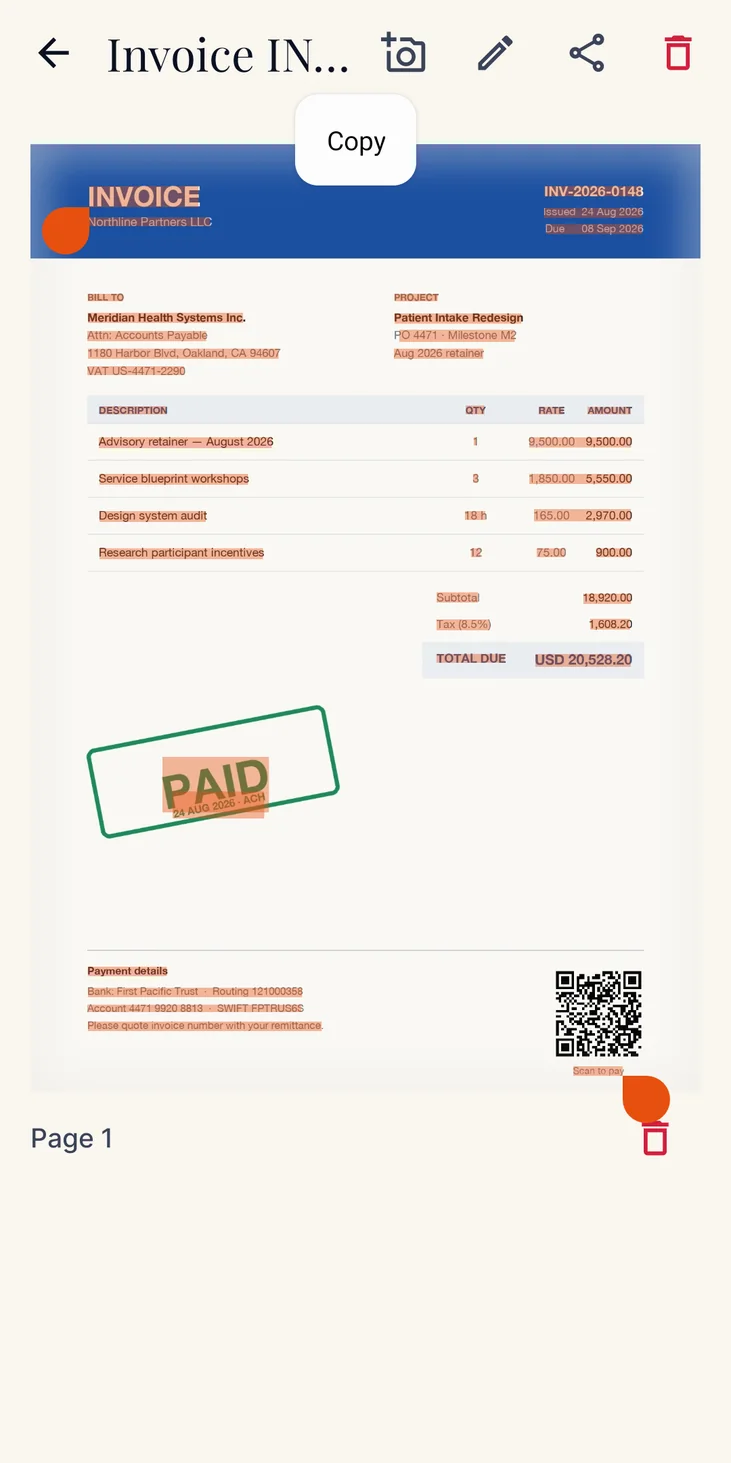
Your scan becomes text you can use.
On-device OCR reads the page back as selectable text you can copy, share and search. The recognition model ships inside the app, so the page never goes anywhere to be read.
Six scripts, recognised offline
Latin-script languages along with Hindi and Marathi, Chinese, Japanese and Korean. It is not a universal, every-language engine, and results depend on how clear the scan is.
Search the words inside your documents
Full-text search runs across the text recognised in your scans, not just file and folder names, so you can find a page by something written on it.
Copy, paste, share
Recognised text comes back as plain text, ready for an email, a note or a message. The scanned page is untouched, so you keep the PDF as well as the words.
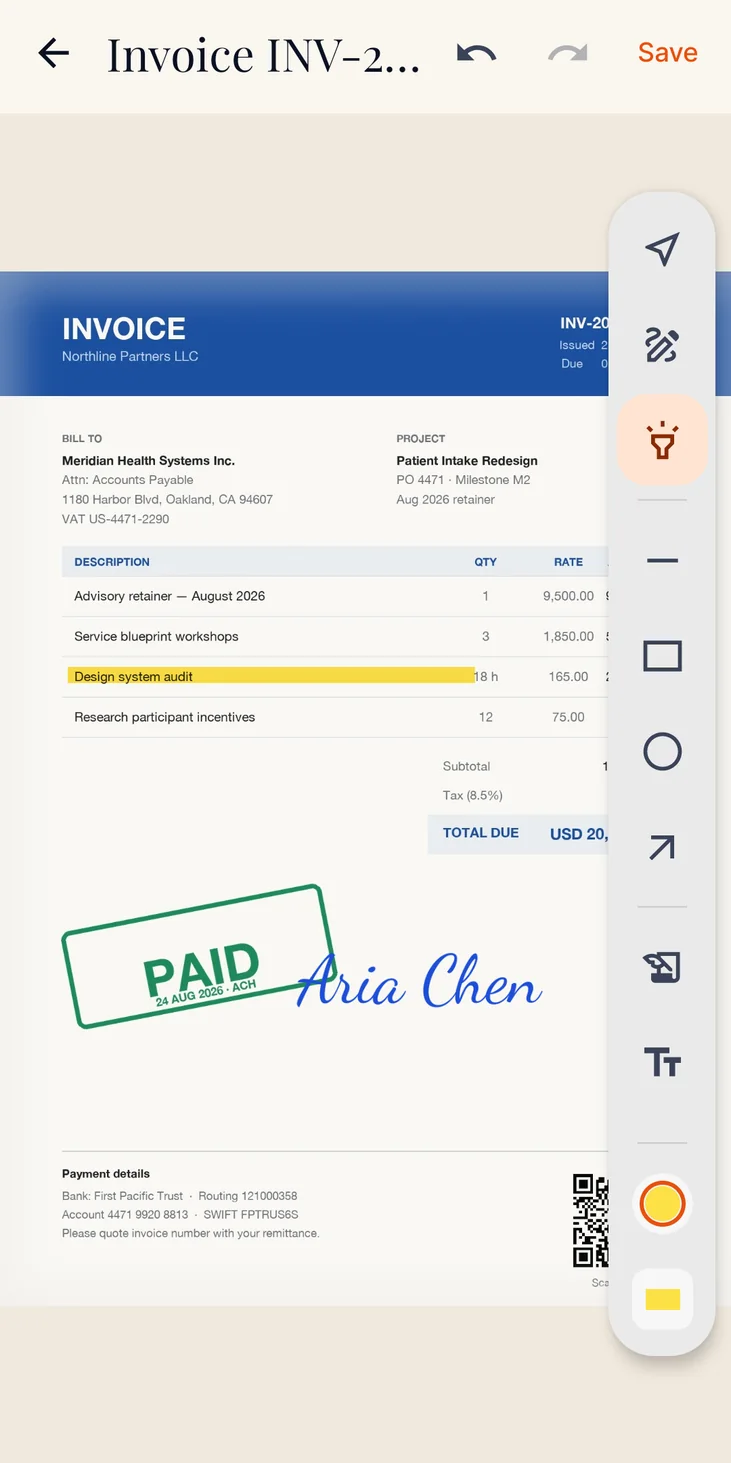
Sign it, stamp it, send it.
Mark up the page, drop in your signature, add a watermark and export. Import PDFs you already have and edit those the same way. The whole edit happens locally.
Annotate and fill
Draw, highlight, add text, shapes, arrows, dates, images and sticky notes directly on a page, and fill out PDF forms.
Signatures
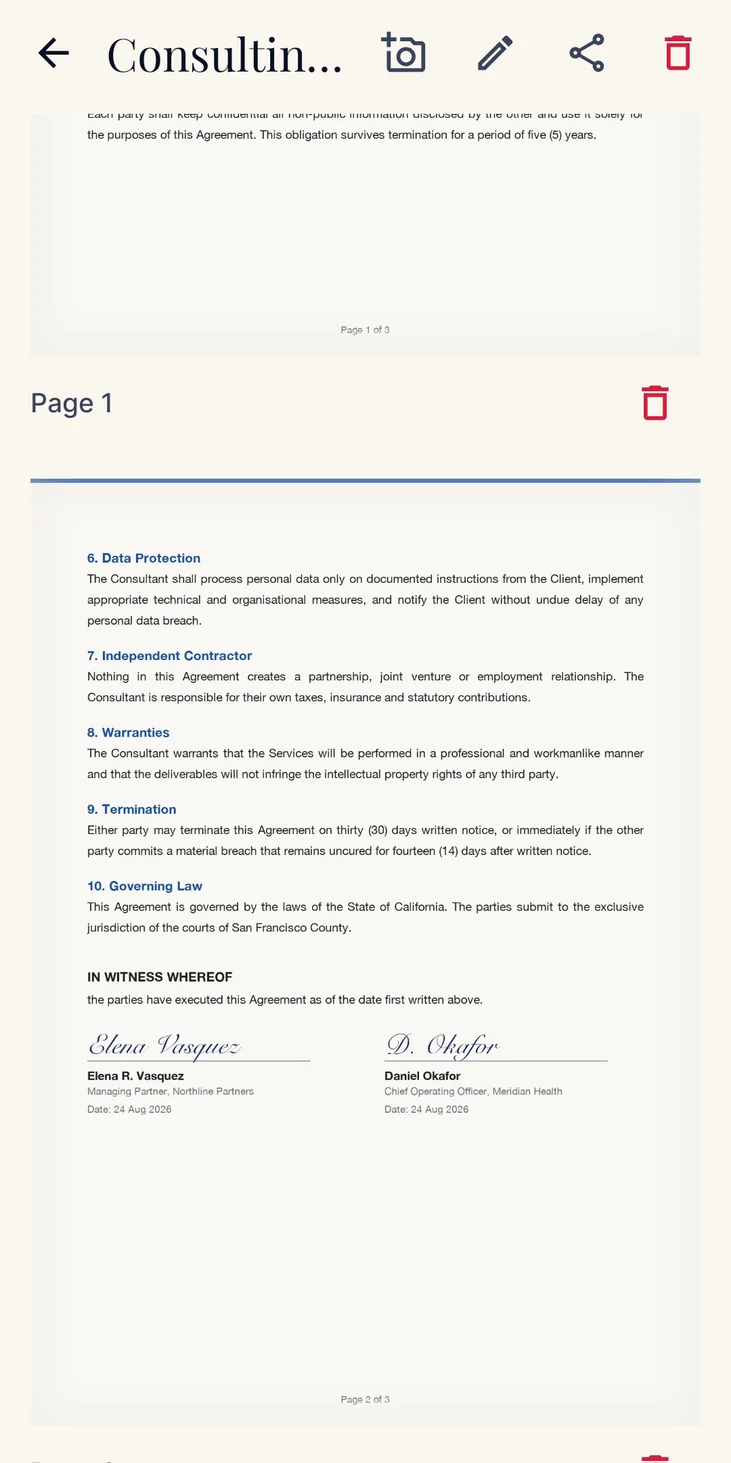
Draw a signature, type one, or photograph one on white paper and have the background removed. Saved signatures live in a library and can be placed on any document.
Custom watermarks
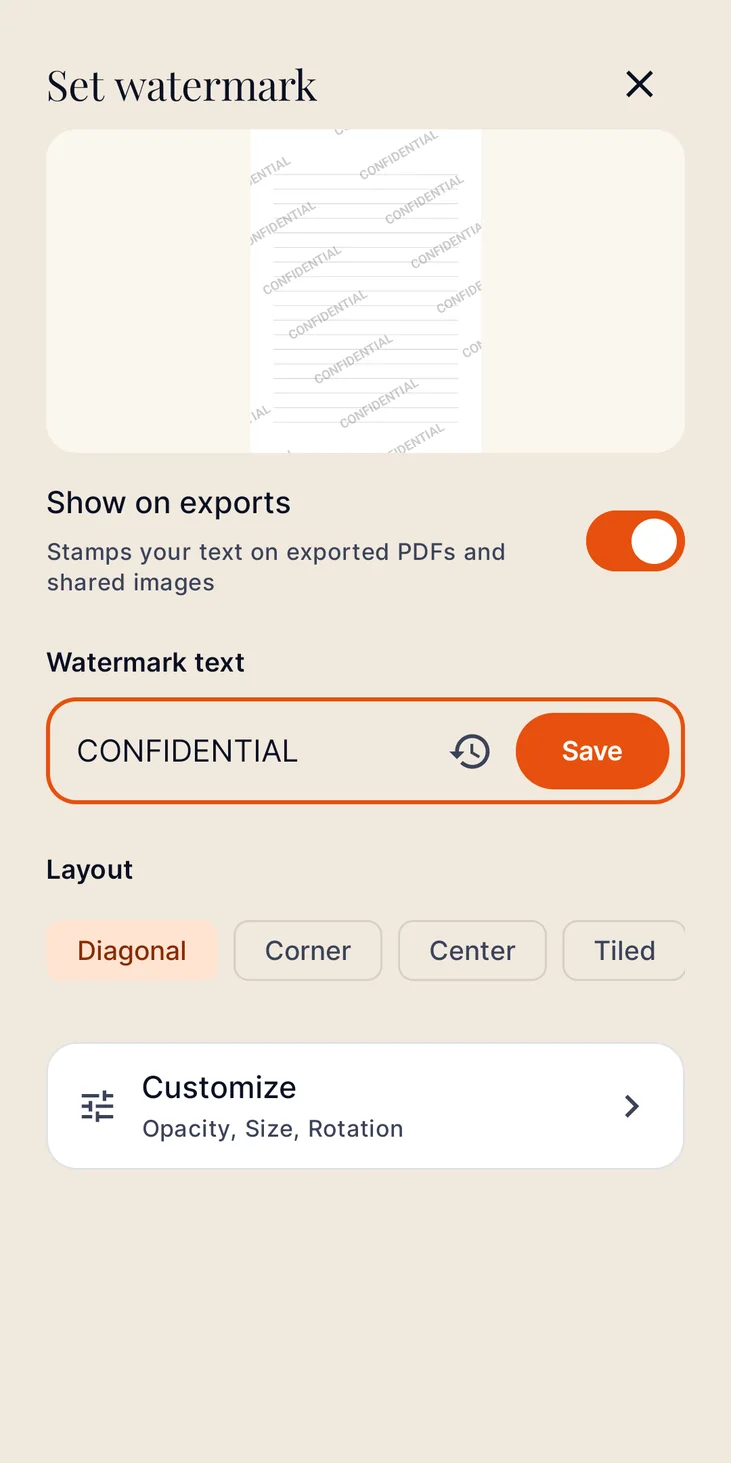
Stamp your own text on exported PDFs and shared images before they leave your phone. Reuse the ones you use often.
Import and export
Bring in existing PDFs and images, re-export after editing, or share a single page as an image.
Every screen, up close.
Swipe through the app as it looks today.
What else Scannera does
QR and barcode tools
On-device recognition for every standard QR and barcode format, plus a generator for links and text.
Folders and full-text search
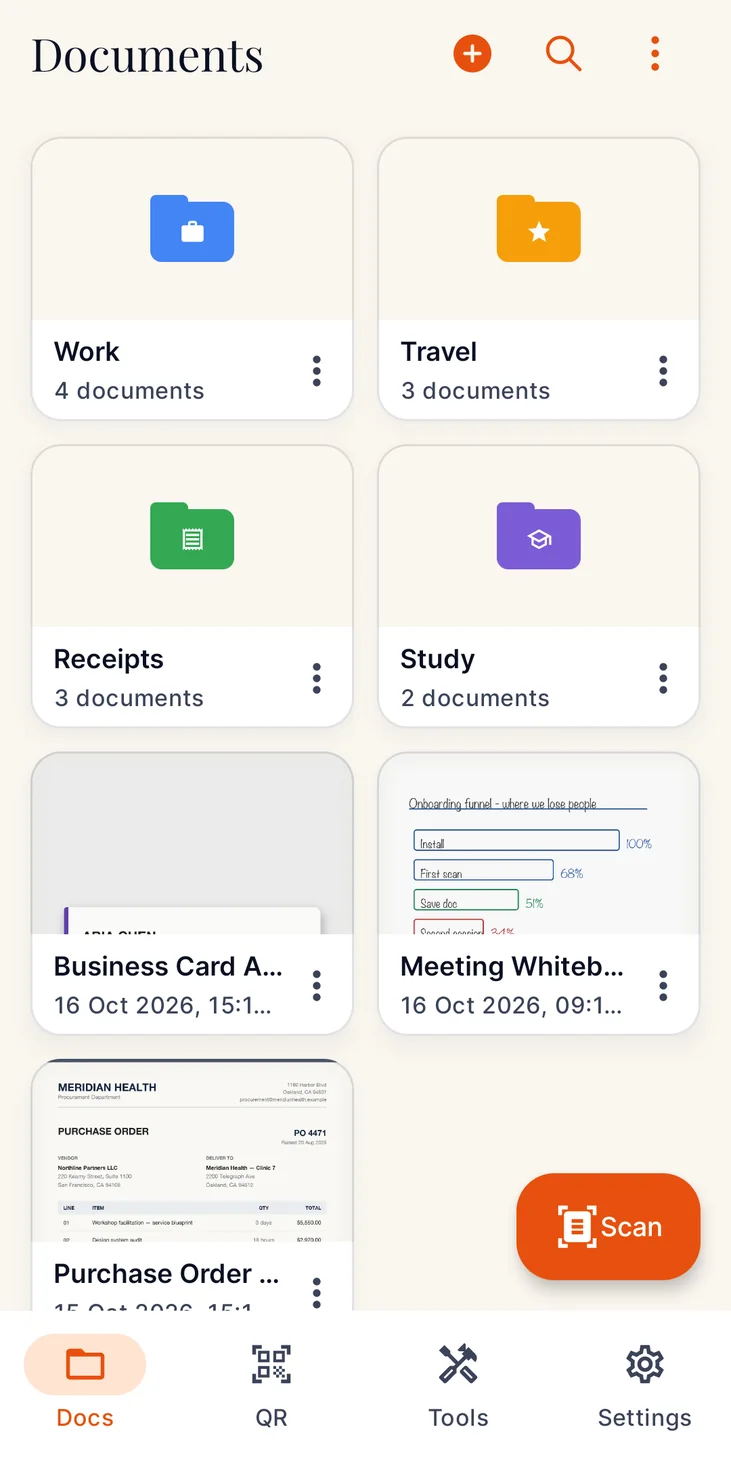
Colour-coded folders, real page thumbnails and dates, and search that looks inside your scans as well as at their names.
App Lock
Require your device screen lock, so a PIN, pattern, password or fingerprint stands between anyone else and your documents.
Optional Google Drive backup
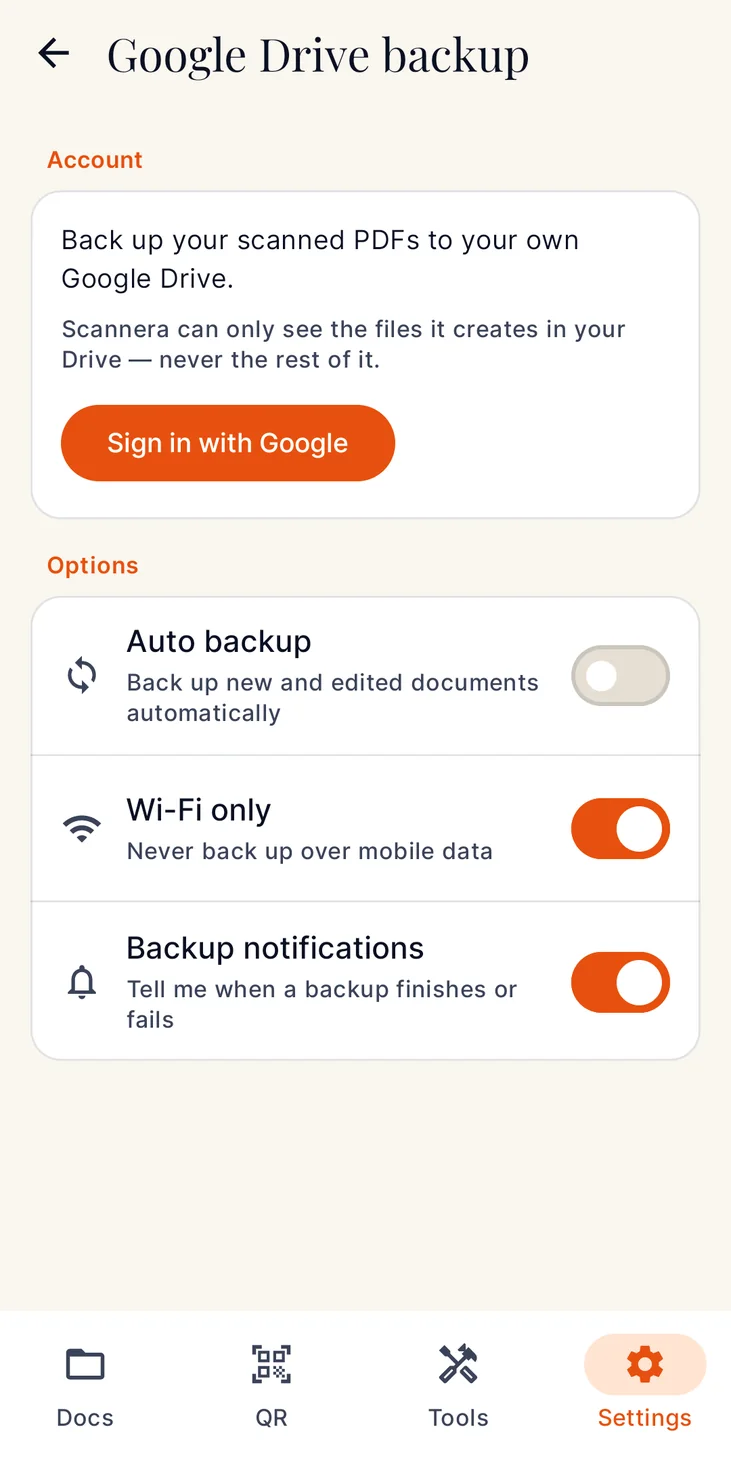
Off by default. Turn it on and PDFs back up to your Google account, on Wi-Fi only if you prefer. Scannera only ever sees the files it creates there.
Light and dark themes
Fast rendering, a layout that stays out of your way, and an interface available in 15 languages.
Deeper reading
More on the PDF scanner, the OCR scanner, the private document scanner and offline scanning.
The documents you least want to lose are the ones you least want to upload.
Passports. Tax forms. Medical records. Contracts. Most scanner apps send them to a server and ask you to make an account first. Scannera does neither.
It runs on your phone
Edge detection, filtering, OCR, annotation, signing and PDF export all happen on your device's own hardware. Nothing is sent away to be processed.
It works in airplane mode
Scanning, OCR, signing, watermarking and export need no connection at all. A connection is only used to buy Pro or to sync Drive backup, if you switch it on.
It never asks who you are
No email, no account, no profile. Install it and start scanning. A Google sign-in is only needed if you choose to turn on Drive backup.
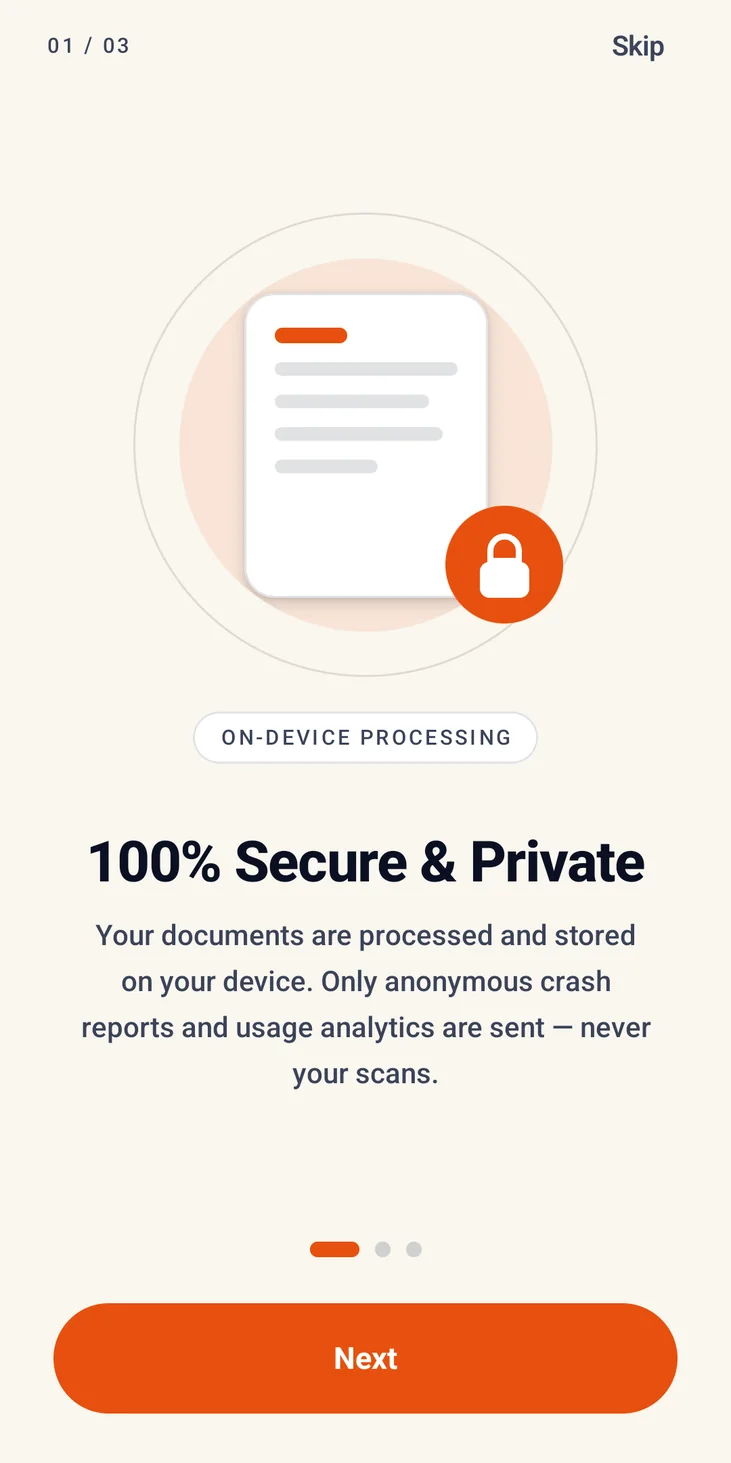
Being precise about it: Scannera sends anonymous crash reports and usage analytics, which contain no document content. Your scans are never among them. The full detail is in the privacy policy.
Pay once, or not at all.
No subscription, no renewals, no per-scan fees. Pro is a single purchase through Google Play with lifetime access.
Free
Everything you need to scan a document today
- Scan, crop and enhance
- On-device OCR and text extraction
- QR and barcode scanning
- Basic drawing
- PDF export carries a small Scannera watermark
- Limits on pages per scan, saved documents and code scans
Scannera Pro
One-time payment · Current price shown in the app
- Unlimited pages, documents and scans
- Watermark-free export, plus your own custom watermarks
- Signatures, highlights, notes and form filling
- QR code generator
- Automatic Google Drive backup
- Restorable on any device on the same Play account
Questions, answered
Are my scans uploaded anywhere?
No. Scanning, editing, filtering, text recognition and PDF export all happen on your device. The one exception is Google Drive backup, which is off by default and goes to your own account. Anonymous crash reports and usage analytics are sent, never your documents.
Does Scannera work offline?
Yes, in airplane mode. A connection is only needed to buy Pro or to sync Drive backups.
Which languages does the OCR read?
Latin-script languages, plus Hindi and Marathi, Chinese, Japanese and Korean. Accuracy depends on how clear the scan is, so proofread anything important.
Can I search the text inside my scans?
Yes. Search runs across the recognised text as well as document and folder names.
Can I sign documents?
Yes. Draw a signature, type one, or photograph one on white paper and have the background removed. Saved signatures can be placed on any document. Signing is a Pro feature.
Do I need an account?
No. No sign-up, no email, no profile. A Google sign-in is only needed if you turn on Drive backup.
Is there a subscription?
No. Scannera is free to use, and Pro is a single one-time purchase with lifetime access, restorable on any device signed in to the same Google Play account.
What can it scan?
Contracts, receipts, invoices, whiteboards, lecture notes, business cards, warranties and identity documents, with dedicated capture modes for each.
Your documents, your device.
Turn your phone into a private, offline scanner. No account, no upload, no subscription.